Cost and Lead Time for Industrial HMIs and SCADA Licenses
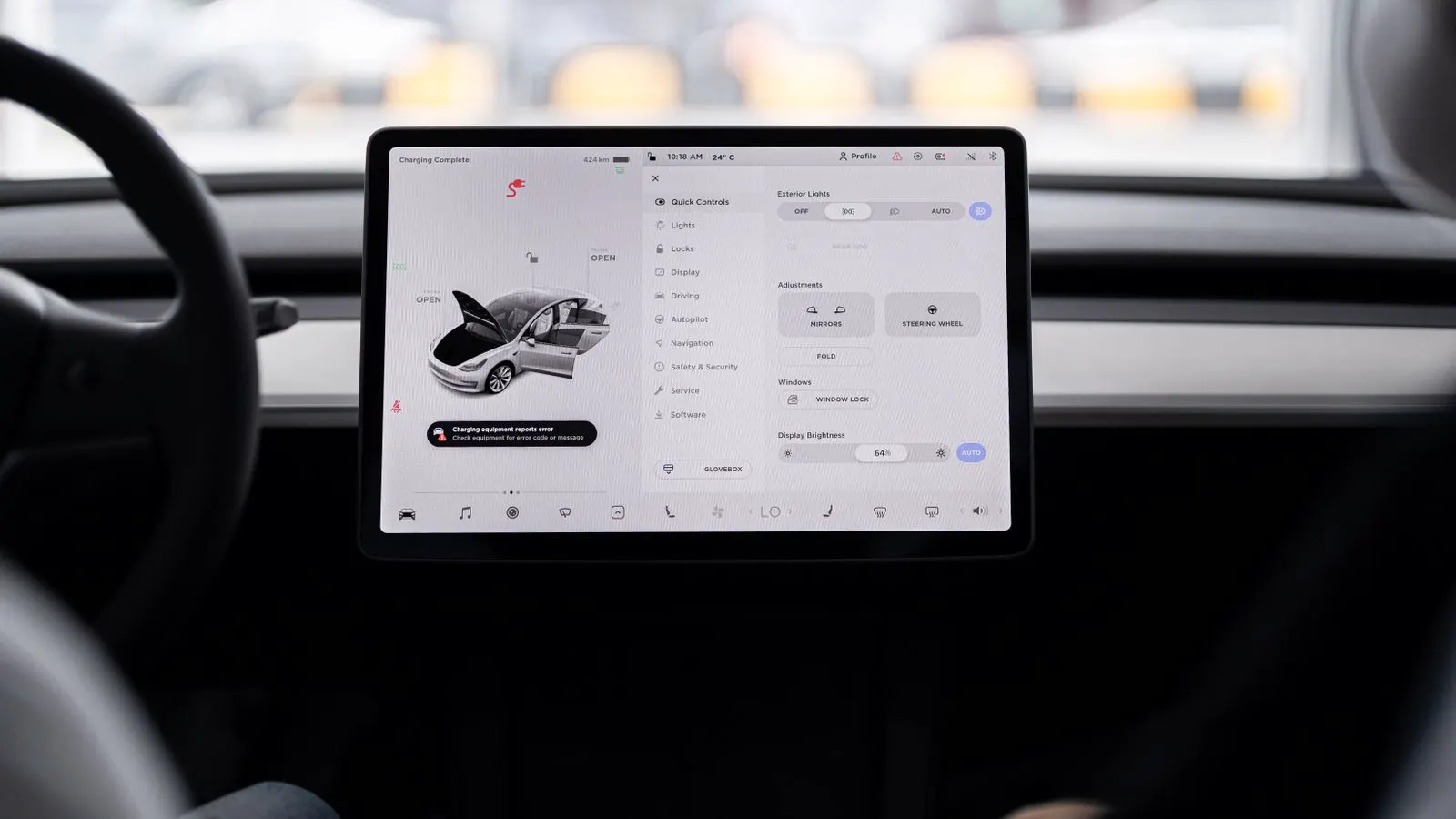
HMI cost depends on display size, I/O complexity, and license type, while SCADA lead time is driven by engineering, site surveys, and integration testing. Procurement managers should structure RFQs to separate hardware, software, and services, then compare quotes against defined performance requirements to plan budgets accurately.
- HMI cost varies by screen size, operating environment, and software licensing model rather than by a single catalog price.
- SCADA lead time often exceeds hardware delivery because site surveys, network mapping, and integration testing require scheduled engineering effort.
- A clear RFQ should separate hardware, licenses, engineering services, and support to enable fair vendor comparison.
- Procurement planning should build in buffer for firmware compatibility, network access approvals, and multi-site rollout coordination.
Why HMI Cost Fluctuates Across Vendors
HMI cost is not a single line item on a purchase order. It includes the physical display, the controller hardware, the software license, and the engineering hours needed to build the screens. A small panel-mounted unit for one machine differs in price from a large wall-mounted terminal managing an entire production line.
Buyers often estimate cost based only on screen size. This misses the bigger variables. A 15-inch touch panel and a 21-inch touch panel may have similar hardware prices, but the larger unit often requires a more powerful controller to handle higher resolution and more data points. The software license model also changes the total. Some vendors charge per screen, some per data point, and some per concurrent user. A small batch of screens may be cheaper under one model, while a large multi-site deployment may be cheaper under another.
Operating environment adds another layer. A unit mounted in a clean room and a unit mounted in a dusty injection molding area differ in enclosure rating, touch technology, and cleaning cycle requirements. The harsher the environment, the higher the hardware cost. The software cost remains similar, but the engineering cost for touch calibration and display maintenance increases.
Consider a specific example. A standard 10-inch HMI for a CNC lathe in a dry workshop might use a basic resistive touch layer and a standard IP65 enclosure. The same size unit for a paint booth or a chemical mixing area might require a capacitive touch screen with a protective glass layer and a sealed enclosure rated for corrosive vapors. The screen size is identical. The hardware price is not. The engineering time to configure the touch sensitivity and verify the seal integrity adds hours to the project. This is why two quotes for the “same” 10-inch screen can differ significantly. The price difference reflects the physical protection required, not just the glass.
What Drives SCADA Lead Time
SCADA lead time is usually longer than HMI delivery because the software must be configured for a specific plant. A standard HMI can ship from a warehouse. A SCADA system must be built around the site’s network topology, database structure, and alarm logic.
Several activities extend the timeline. The vendor must perform a site survey to confirm network bandwidth, IP addressing, and physical access. They must map existing PLCs, sensors, and historical data sources. They must build the database schema, design the alarm rules, and configure the historian. Each of these tasks requires engineering hours and often depends on the plant’s IT and operations teams.
Network approvals add delay. Many plants require IT security review before new devices connect to the production network. If the SCADA system must communicate across sites, firewall rules and VPN configurations take additional time. The vendor cannot begin integration testing until the network paths are open.
Hardware delivery can also pause the schedule. If the vendor waits for a specific controller model, a long-lead-time network switch, or a custom enclosure, the software team cannot test the full stack. Procurement should order long-lead hardware early while the software team works on configuration.
In a typical facility, the IT team may require a penetration test or a detailed review of the SCADA protocol before allowing any new server into the OT segment. This review can take weeks. The vendor spends time preparing documentation, not integrating. The software team sits idle while the firewall rules are written. When the rules are finally approved, the integration phase begins. The calendar date for the site survey might be two weeks away, but the logical connection to the historian might not be possible until that date. The lead time is not just about shipping the server. It is about the organizational gates that must be passed before the server can be useful.
How to Write a Clear RFQ for HMI and SCADA Systems
A vague RFQ produces vague quotes. If you ask for an HMI without specifying the number of data points, the operating temperature, or the license type, every vendor will make different assumptions. The resulting quotes are not comparable.
Start with the application description. State the number of machines or lines the system will monitor. List the data points to be read from each device. Include the required display size and mounting method. Specify the operating environment, such as IP rating, temperature range, and whether the unit will be in a clean area or a high-dust zone.
For software, define the licensing requirement. Ask for quotes under different license models if you are unsure which is cheaper. Request a breakdown for hardware, software, engineering services, and support. Ask for the estimated number of engineering hours and the hourly rate. This makes it possible to compare the effort behind each quote, not just the final price.
Include the delivery scope. State whether the vendor will deliver the system to the plant site or to a central office. Specify the required documentation, such as the network diagram, the alarm list, and the user manual. Ask for the warranty terms and the support response time.
A clear RFQ should list the specific PLC models and their communication protocols. For example, if the plant uses a mix of Modbus TCP and S7 protocols, state that explicitly. If the HMI must log specific events to a local SD card or send them to a central server, define the storage requirement. Without this detail, one vendor might assume a simple screen display, while another assumes a complex data logging system. The price difference between those two assumptions can be substantial. The RFQ must remove that ambiguity.
How to Compare Quotes Fairly
Two quotes may look different but cover the same scope. One vendor may include the hardware and license but exclude the network configuration. Another may include the license but exclude the on-site installation. You must normalize the quotes before comparing them.
Create a comparison sheet with columns for hardware cost, software license cost, engineering hours, on-site travel, and support. Add a row for each item that is optional or excluded. If one quote includes alarm management and another does not, add the cost of alarm management to the second quote so they are like-for-like.
Check the license model carefully. A per-user license may be cheap for a small team but expensive if more engineers access the system. A per-data-point license may be predictable for a fixed plant but costly if you add new lines. A subscription model may lower the upfront cost but create ongoing operational expenditure. Ask the vendor to show the five-year total cost under each model.
Review the support terms. A low initial price with expensive emergency support is not a low cost. Ask for the response time for hardware failure, software update, and on-site support. Check whether the support contract is fixed or hourly.
When reviewing the engineering hours, look at the breakdown. Does the quote include time for user interface design? Does it include time for testing and validation? A quote that lists 50 engineering hours but does not specify what those hours cover is hard to evaluate. If one vendor lists 50 hours for “system integration” and another lists 50 hours for “screen development,” you need to know if the integration work includes network configuration. If not, you are comparing a partial scope against a full scope.
Cost Drivers and Trade-Offs
The table below lists the main factors that affect HMI cost and SCADA lead time. Use it as a checklist when reviewing quotes and planning your budget.
| Cost or Lead-Time Driver | Effect on Price | Effect on Delivery Time |
|---|---|---|
| Display size and resolution | Higher size and resolution increase hardware cost | Usually no direct effect, but larger screens require more layout time |
| Data point count | More data points increase license and engineering cost | More data points require more database design and testing |
| Operating environment | Harsh environments require higher-rated hardware | Custom enclosures may have long lead times |
| License model | Per-user, per-point, or subscription changes total cost | Subscription models may require IT approval for recurring charges |
| Network integration | Complex networks require more engineering hours | Firewall rules and VPN setup extend integration time |
| Multi-site rollout | Multiple sites increase software and support cost | Each site requires a survey and local testing |
Planning for Delivery and Budget
Budgeting for HMI and SCADA systems requires separating the one-time costs from the recurring costs. The one-time costs include hardware, software licenses, and engineering. The recurring costs include support, software updates, and maintenance. If you only budget for the upfront price, the system may become expensive to maintain.
Lead time planning should start early. Identify long-lead hardware items and order them first. Schedule the site survey at least two weeks before the software team begins detailed configuration. Build a buffer for network approvals and change control. A two-week delay in firewall approval can push the entire integration back.
For multi-site rollouts, standardize the configuration. Use the same screen templates, alarm logic, and database structure across sites. This reduces engineering time and makes support easier. Do not treat each site as a unique project unless the processes truly differ.
Review the contract terms before signing. Confirm the acceptance criteria. State that the system will not be accepted until it passes a defined test plan. Include a penalty or credit for late delivery. Specify what happens if a required component is unavailable. These terms protect the schedule and the budget.
When planning the budget, consider the cost of downtime during the transition. If the new HMI replaces an existing one, there may be a period where the old system is still running or where operators are being trained. Include the cost of temporary monitoring or extended overtime for the operations team in the project budget. This is often overlooked. The software is installed, but the people are not ready. The cost of that lag can be higher than the software license itself.
Final Considerations for Procurement Managers
HMI cost and SCADA lead time are driven by technical scope, not just catalog prices. A clear RFQ, normalized quote comparison, and realistic lead-time planning will give you a budget that holds up under pressure. Focus on the total cost of ownership and the delivery risk. The cheapest quote on paper may be the most expensive if it requires rework, delays, or expensive emergency support.
Frequently asked questions
What is the main factor that increases HMI cost?
The combination of display size, data point count, and operating environment. A larger screen in a harsh environment with many data points will cost more than a small screen in a clean room with few data points.
Why does SCADA lead time often exceed hardware delivery time?
SCADA software requires site surveys, network mapping, database design, and integration testing. These engineering tasks take time and depend on plant access and IT approvals.
How should I structure an RFQ to get comparable quotes?
Separate the scope into hardware, software licenses, engineering services, and support. Define the data points, display size, and operating environment. Ask vendors to quote each component separately.
What is a common mistake in comparing HMI quotes?
Comparing a per-user license with a per-data-point license without normalizing the total cost. The upfront price may look lower, but the five-year cost may be higher.
How long should I plan for a standard SCADA project?
It depends on the site complexity, but most projects require several weeks for site surveys, network setup, and integration testing. Build in buffer for IT approvals and hardware delivery delays.