Comparison: Panel-Mounted vs Wall-Mounted Industrial HMIs

Panel-mounted and wall-mounted industrial displays serve different plant layouts and operator workflows. The choice depends on available space, viewing distance, and maintenance access. Each option has distinct trade-offs for visibility, safety, and integration.
- Panel-mounted HMIs maximize control room space but limit viewing distance and angle flexibility.
- Wall-mounted HMIs offer wider viewing angles but require structural support and take up floor or wall space.
- Maintenance access differs significantly based on whether the unit is recessed into a panel or mounted on a wall.
- The choice should align with operator workflow, plant layout, and long-term maintenance plans.
- Both options require careful planning for environmental protection and ergonomic viewing.
Why the Installation Type Matters
The decision between a panel-mounted and a wall-mounted industrial display shapes how operators interact with machine data throughout a shift. Space, visibility, and maintenance access are the three factors that drive this choice. Each option has specific strengths and limitations that align with different plant layouts and operational needs.
Factory control rooms, machine cabinets, and production lines all present different spatial constraints. A panel-mounted HMI sits inside a control panel or machine enclosure. A wall-mounted HMI attaches to a structural wall or stand. The physical placement affects how far operators can stand from the screen, how many units they can access in a given area, and how quickly maintenance staff can reach the hardware.
Space Constraints and Layout Considerations
Panel-mounted HMIs are designed to fit into existing control panels, machine enclosures, or operator stations. They save floor space because they occupy only the panel cutout. This makes them suitable for dense production environments where every square meter of floor space has a purpose.
Wall-mounted HMIs require a flat surface or a dedicated stand. They take up wall space but free up panel space for other controls. In open control rooms with limited panel real estate, a wall-mounted display can serve multiple operators from a distance. The trade-off is structural: the wall must support the weight, and the mounting must comply with local electrical and structural codes.
When choosing between the two, measure the available panel depth, the distance between operators and the screen, and the number of control points that need to be on the same physical surface. A panel-mounted unit works well for single-machine operation. A wall-mounted unit suits central monitoring stations where several lines are observed from one location.
Visibility and Operator Ergonomics
Viewing distance is the primary ergonomic difference. Panel-mounted HMIs sit close to the operator, typically within arm’s reach. This allows detailed inspection of machine status, alarm history, and parameter changes. The proximity also reduces the need for zooming on the screen.
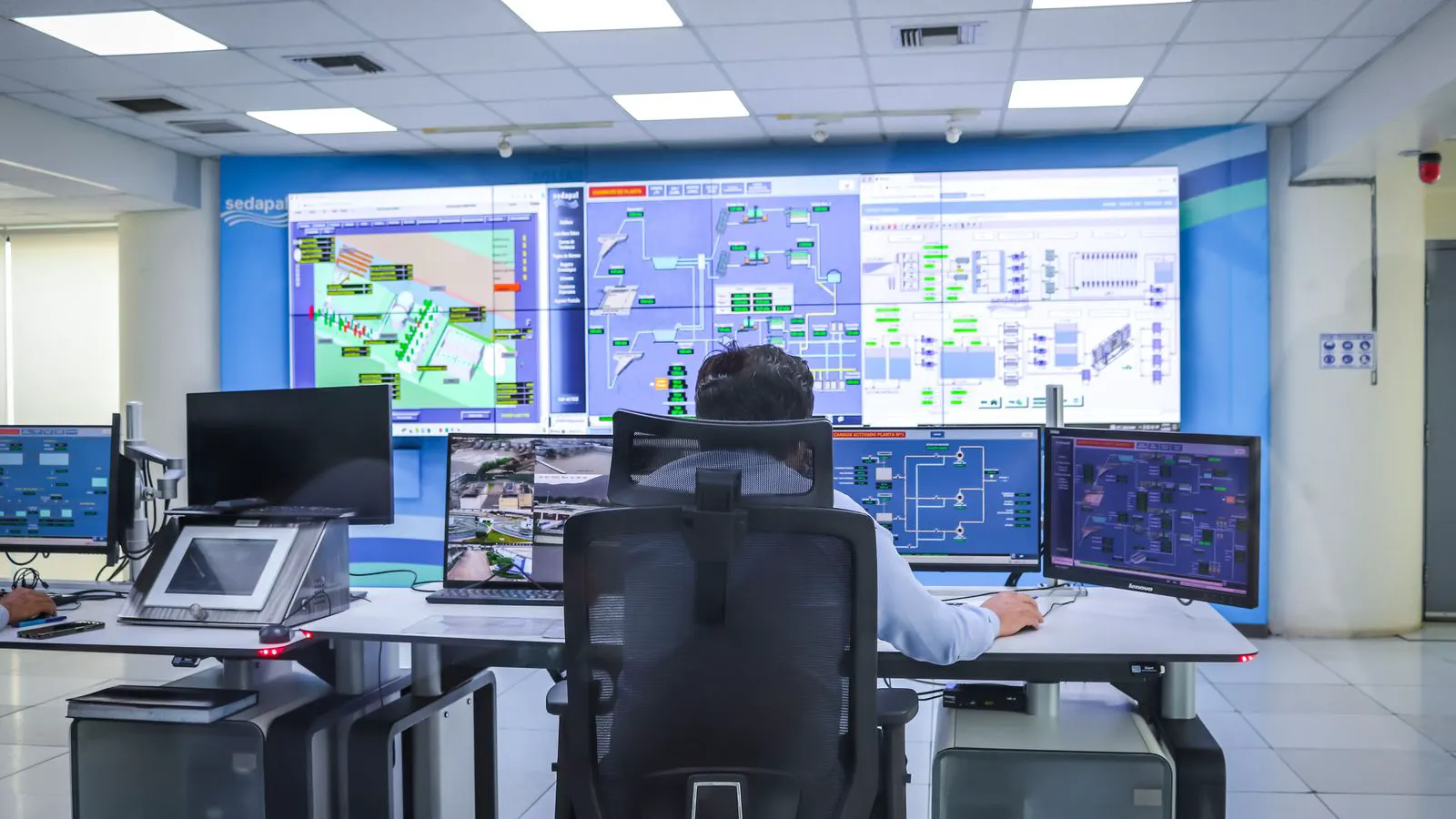
Wall-mounted HMIs are viewed from a distance of several meters. Operators can see multiple displays at once, which supports a supervisory role. The larger viewing angle of a wall-mounted unit means multiple people can see the screen simultaneously without crowding. However, text and small graphical elements may become hard to read from too far away.
The physical angle of the mount also affects comfort. A panel-mounted HMI can be tilted or positioned to match the operator’s seated or standing posture. A wall-mounted HMI is fixed at the height of the wall or stand, which may not suit every body type. In mixed-shift environments where operators of different heights work on the same line, this difference becomes noticeable.
Maintenance Access and Serviceability
Maintenance access follows from the installation method. A panel-mounted HMI is recessed inside a cabinet or panel. To service it, a technician must open the panel, disconnect wiring, and remove the unit. This process can take longer because the panel may also house drives, relays, or other equipment that must be moved or disconnected.
A wall-mounted HMI is exposed on the outside. A technician can reach the unit directly without opening a cabinet. This speeds up replacement and inspection. The wiring is typically routed through a conduit or cable tray to the back of the unit, making connections easier to trace.
Long-term, panel-mounted units may accumulate dust and heat inside the cabinet, which can shorten component life. Wall-mounted units are exposed to the room environment, which may include air conditioning or dust from the production floor. Both require proper enclosures, filters, or protective covers to manage environmental factors.
Environmental Protection and Durability
Industrial displays face heat, vibration, moisture, and dust. The installation type influences how well the unit is protected. A panel-mounted HMI is partially shielded by the cabinet structure, which can reduce direct exposure to floor-level dust. However, heat buildup inside the cabinet can be a concern if the panel lacks ventilation or thermal management.
A wall-mounted HMI is more exposed to the room air. In a clean control room, this is not a problem. In a production floor area with coolant mist or abrasive dust, the wall-mounted unit may need a higher ingress protection rating or a protective hood. The mounting surface also matters. A concrete wall may retain heat differently than a steel frame, affecting the ambient temperature around the display.
Both options require an industrial display with a suitable operating temperature range for the installation location. The choice between panel and wall mounting should be made after confirming the environmental conditions at the specific site.
Comparison Table
| Option | Best For | Limitations |
|---|---|---|
| Panel-mounted HMI | Single-machine operation, dense control panels, close operator proximity | Limited viewing distance, requires panel space, slower maintenance access due to cabinet access |
| Wall-mounted HMI | Central monitoring, multi-operator viewing, open control rooms | Requires wall space and structural support, fixed height, more exposed to room environment |
| Panel-mounted with articulating arm | Compact panels where viewing angle adjustment is needed | Adds complexity to installation, may reduce cabinet space for other components |
| Wall-mounted on stand | Temporary or reconfigurable control room layouts | Takes up floor space, requires stable base, not ideal for permanent installations |
| Wall-mounted flush panel | Clean control rooms where aesthetics and easy access matter | Requires flat wall surface, not suitable for machine-adjacent installations, limited panel depth |
Choosing the Right Option
The right installation type depends on three practical checks. First, measure the space. If the control panel is full and you need to add a display, a wall-mounted unit may be the only option. If the panel has empty space and the operator works directly at the machine, a panel-mounted unit is simpler.
Second, define the user role. A machine operator who sets parameters and clears alarms every few minutes benefits from a close, panel-mounted display. A line supervisor who watches multiple screens and responds to high-level alarms works better with a wall-mounted display.
Third, plan for maintenance. If your service team changes displays every few years, wall-mounted units make that job faster. If the display is part of a sealed machine cabinet and is rarely accessed, a panel-mounted unit is acceptable and often preferred.
In practice, many factories use both. A wall-mounted HMI serves the control room for overview and alarm management. A panel-mounted HMI sits at each machine for direct operator interaction. This combination covers the full range of tasks from detailed machine control to high-level supervision.
Practical Tips for Installation
Install the display at a height that reduces neck strain for the majority of operators. A wall-mounted unit should be positioned so the top of the screen is at or slightly above eye level. A panel-mounted unit should align with the operator’s natural line of sight when seated or standing at the machine.
Run cables with enough slack for future service. A panel-mounted HMI will need extra length because the technician must pull the unit out of the cabinet. A wall-mounted HMI needs enough slack to disconnect the unit without stretching the connections.
Secure the mounting properly. A wall-mounted unit that is not firmly attached can vibrate loose over time, especially in high-vibration areas. Use the mounting hardware supplied with the display or a standard industrial bracket rated for the unit weight.
Protect the display from direct sunlight and heat sources. In a control room with windows, a wall-mounted display may need a glare filter or a slight tilt. In a panel, ensure the cabinet does not trap heat from adjacent drives or power supplies.
Frequently asked questions
Can a panel-mounted HMI be viewed by multiple operators at once?
It is possible, but the close viewing distance makes it difficult for more than one or two people to see the screen clearly. For multi-operator viewing, a wall-mounted display is usually more practical.
How much space does a wall-mounted HMI require compared to a panel-mounted one?
A wall-mounted HMI needs a flat wall section or a stand, which takes up floor or wall space. A panel-mounted HMI only needs a cutout in an existing panel, so it is more compact in terms of floor footprint.
Which option is easier to replace during maintenance?
A wall-mounted HMI is generally easier to replace because it is accessible from the front without opening a cabinet. A panel-mounted HMI requires panel access and may need surrounding equipment to be disconnected.
Are wall-mounted HMIs more suitable for harsh environments?
Not necessarily. Both options require appropriate enclosures and ingress protection for the environment. The installation type affects exposure but does not replace the need for a properly rated industrial display.
Can I install a wall-mounted HMI in a production floor area?
Yes, provided the wall or stand is structurally sound and the display is rated for the ambient conditions. A protective cover or higher ingress rating may be needed in dusty or wet areas.