Troubleshooting PLC Scan Time Delays in Legacy Systems
This guide helps maintenance engineers identify root causes of unexpected delays or missed cycles in existing programmable logic controller systems. It covers common symptoms, likely causes, fixes, and prevention tips to reduce downtime.
- Monitor scan time trends to distinguish between normal variation and developing faults.
- Isolate I/O bottlenecks by checking communication delays before suspecting the CPU.
- Review legacy ladder logic for inefficient scan patterns that degrade performance.
- Keep controller firmware and driver documentation accessible for faster root cause analysis.
- Implement preventive checks to catch scan time degradation before it causes production loss.
A PLC scan time delay is a quiet failure. It does not always trigger an alarm. Sometimes the line just runs slower, or a cycle is missed, and the operator sees a quality defect long after the root cause has developed. Legacy systems make this harder because the original documentation is often incomplete, the hardware is aging, and the software was written by someone who is no longer available.
This guide walks through how to isolate the problem when your existing programmable logic controller starts showing unexpected delays or missed cycles. It focuses on practical steps you can take with the tools already in the plant.
What symptoms indicate a scan time problem
Before opening the controller, observe the behavior. Scan time delays show up in predictable ways. The symptoms below are what you will see on the floor, in the HMI, or in the maintenance log.
- The cycle time has drifted upward over weeks without any change to the program.
- A specific I/O point responds late, while others behave normally.
- The controller reports a high scan time but no fault code.
- The HMI refreshes slowly during certain machine states.
- A communication link to an external device shows intermittent timeouts.
- The CPU fan runs continuously, and the unit feels warm to the touch.
These symptoms point to different parts of the system. The key is to match the symptom to the subsystem that controls it.
How to measure the actual scan time
You cannot fix what you cannot measure. Every PLC has a built-in scan time counter or a diagnostic register that shows the current and average scan time. Open the controller’s built-in diagnostic screen and record the values under normal operation and during the problem state.
If your controller does not display scan time directly, use an external method. Place a digital counter on the output that drives a known action, such as a valve or a motor start. Measure the delay between the trigger signal and the physical action. Compare that delay to the expected value from the original design.
Record the scan time at different machine states. A system that scans in 12 milliseconds during idle but spikes to 80 milliseconds when a conveyor is running has a load-dependent problem. A system that stays at 80 milliseconds regardless of load has a fixed overhead issue. Both require different fixes.
Common causes and fixes in legacy systems
The table below lists the most frequent causes of scan time delays in older PLC installations. Work through it in order. Start with the cheapest and most common causes before moving to more complex ones.
| Symptom | Likely cause | What to do |
|---|---|---|
| Scan time increases gradually over time | Corroded terminal blocks or loose I/O connections | Inspect terminal strips, tighten terminals, replace damaged blocks |
| High scan time only during specific machine states | Inefficient ladder logic with long scan paths | Review the logic and break long routines into smaller blocks |
| Intermittent delays on one I/O channel | Failing I/O module or bad wiring | Swap the module with a known-good unit to confirm the fault |
| Communication timeouts to external devices | Slow or degraded fieldbus link | Check bus topology, replace damaged cables, verify baud rate settings |
| CPU temperature above normal range | Dust buildup or failing cooling fan | Clean the enclosure, replace the fan, verify airflow paths |
| Scan time stable but output action is delayed | Mechanical friction or slow actuators | Check valves, solenoids, and mechanical linkages for wear |
The most common mistake in legacy troubleshooting is replacing the controller when the problem is in the I/O wiring. In many cases, a single corroded terminal can add milliseconds of delay. Check the physical connections before you touch the software.
How to review the ladder logic for performance bottlenecks
Legacy PLC programs were often written without strict performance constraints. The logic may work correctly but scan inefficiently. Look for these patterns:
- Long sequential routines that execute on every scan.
- Nested loops that scan the same condition many times.
- Redundant timers or counters that fire in the same scan.
- Large arrays that are compared in a loop instead of using direct access.
- Communication instructions that are polled every scan instead of on demand.
You do not need to rewrite the entire program. Focus on the routines that execute during the problem state. If a conveyor section causes the delay, trace the logic that runs when the conveyor is active. Look for instructions that scan more often than necessary.
In some cases, a single redundant timer that resets and restarts every scan can add a few milliseconds. In a system with a tight cycle, that adds up. Remove the redundancy. Split the routine. Move non-critical checks to a separate scan or a dedicated task.
The goal is not to make the program faster for its own sake. The goal is to free up CPU cycles so the critical path completes within the required time.
How to check the I/O and communication layers
The controller CPU is rarely the only part of the scan path. Every I/O module adds a small delay. Every communication instruction adds another. In legacy systems, these delays accumulate.
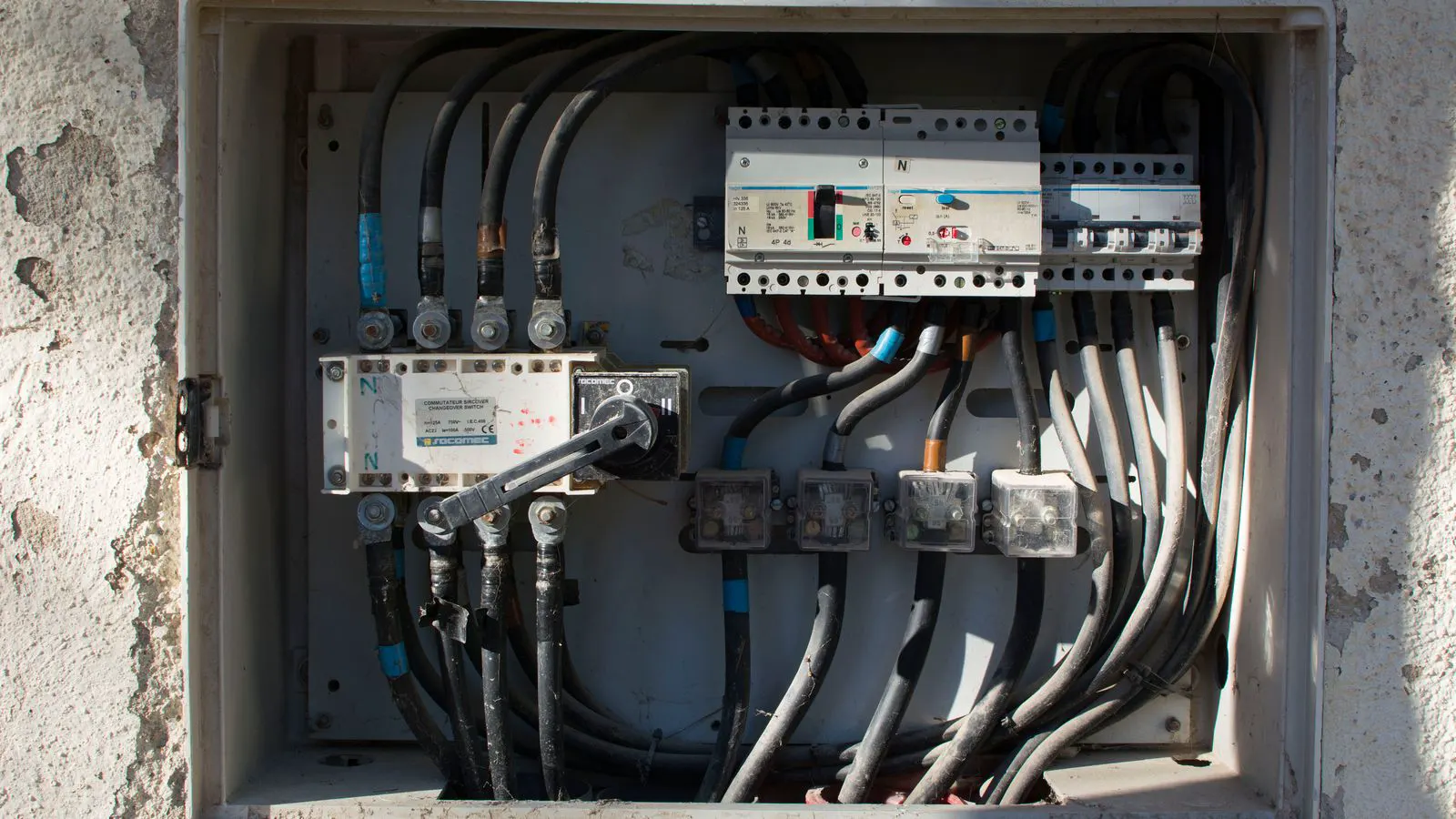
Start with the physical layer. Check the fieldbus cables for pinches, corrosion, or damaged connectors. A single bad shield ground can cause the bus to retransmit data, adding milliseconds per transaction. Replace the cable if you see any physical damage.
Next, check the I/O module status lights. A module that is stuck in an error state may still report data but with a delay. Swap the module with a known-good unit. If the delay follows the module, replace it. If the delay stays with the slot, the backplane or power supply may be failing.
For serial communication links, verify the baud rate and parity settings. A mismatch between the controller and the external device can cause the controller to wait for a response that never arrives. The scan time spikes while the controller retries. Reset the settings to the documented values and retest.
How to verify power and thermal conditions
A PLC that runs hot does not always fail immediately. It may degrade slowly. The scan time creeps up as the internal components slow down. Check the power supply voltage at the controller terminals. A drooping supply can cause the CPU to run at a lower clock speed.
Measure the DC output of the power supply under load. If the voltage drops more than a small percentage when the controller is active, the supply is undersized or failing. Replace it.
Check the cooling. Open the enclosure and inspect the fan. If it is dusty or makes noise, clean or replace it. Verify that the intake and exhaust vents are not blocked by paint, dust, or nearby equipment. In older buildings, the ambient temperature in the electrical room may have risen. The controller may be running at a higher temperature than it was designed for.
How to prevent scan time degradation in legacy systems
Once you have fixed the immediate problem, put a small preventive routine in place. You do not need a full automation project. A few checks can catch the next delay before it becomes a production loss.
- Record the baseline scan time for each major machine state.
- Check terminal blocks and I/O connections during scheduled maintenance.
- Monitor CPU temperature and fan status in the HMI.
- Review the scan time trend every quarter.
- Keep a copy of the ladder logic and a note on any performance-critical routines.
- Store the original wiring diagrams and communication settings in a shared location.
A one-page note with the baseline scan time and the critical routines will save hours when the next delay appears. If the trend starts to drift upward, you already know where to look.
How to document the fix for future reference
Legacy systems live and die by documentation. After you fix a scan time delay, write a short note. Record the symptom, the root cause, the part number of any replacement, and the steps you took. File it with the machine manual.
This does not need to be a formal report. A few lines on a card or a note in the maintenance log is enough. The next technician will thank you. And when the system is eventually replaced, that note will be part of the baseline for the new installation.
Frequently asked questions
Can a scan time delay cause a PLC to miss an output cycle?
Yes. If the scan time exceeds the time required for a physical action, the output may not be activated before the next scan. This causes missed cycles and quality defects.
Is it safe to reduce the scan time by deleting unused logic?
It can be safe, but only after confirming the unused logic is truly not needed. Always test in a non-production state and document the change.
How do I know if the problem is in the CPU or the I/O?
Swap the I/O module with a known-good unit. If the delay follows the module, the I/O is the cause. If the delay stays with the slot, the backplane or CPU is likely at fault.
Can dust in the electrical room affect scan time?
Yes. Dust reduces cooling efficiency, raising the CPU temperature. Higher temperatures can slow internal processing and increase scan time over time.
Do I need a new PLC if the scan time is slightly high but stable?
Not necessarily. If the scan time is within the machine's required cycle time and stable, you can monitor it. Replace the controller only if the delay causes a functional failure.