What is a PLC? A Practical Guide for Factory Buyers
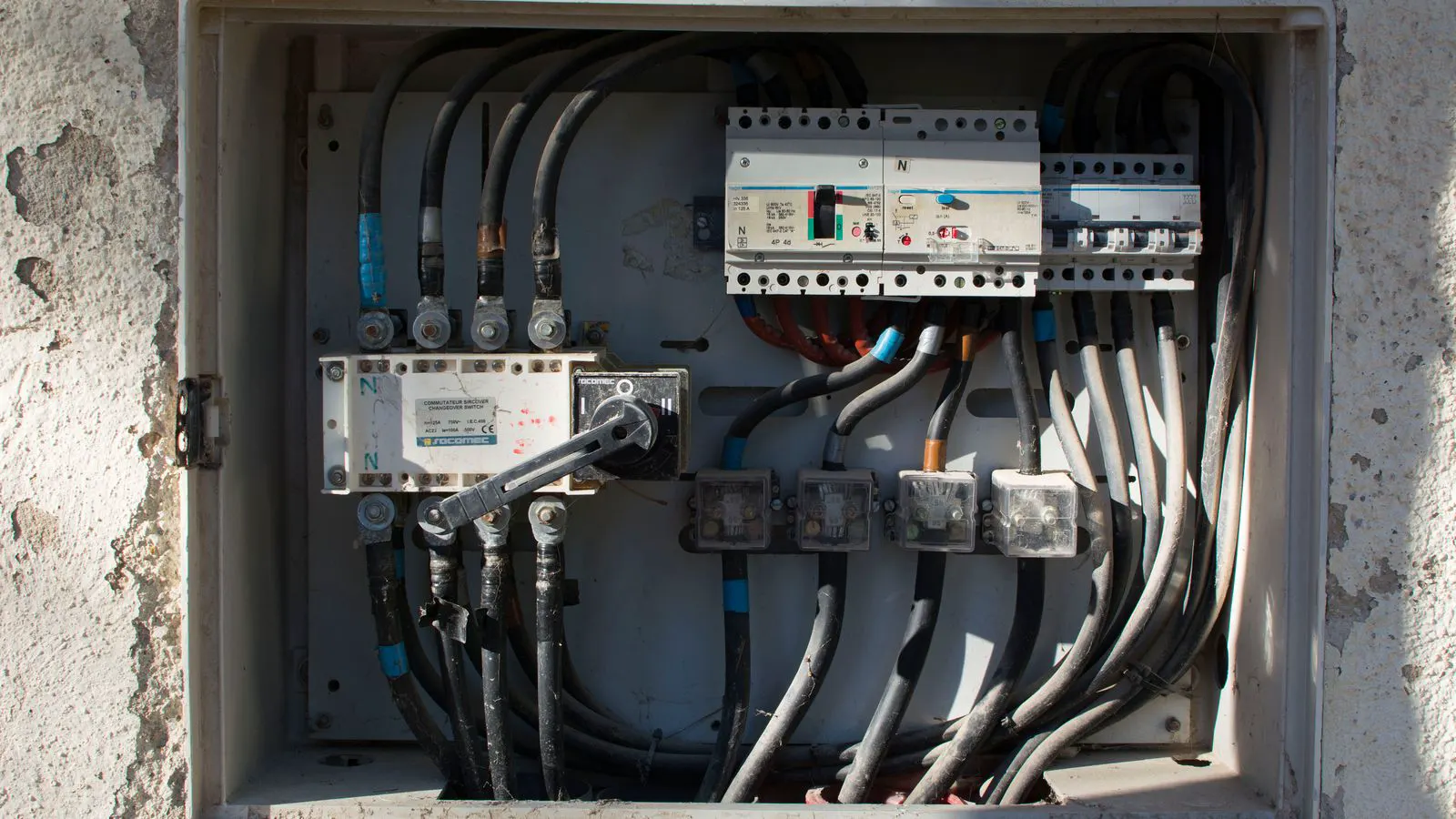
A programmable logic controller is a rugged industrial computer that reads inputs, runs logic, and drives outputs. It automates machines by reacting to sensors and signals in real time. Understanding this hardware is the first step for any factory buyer.
- A PLC is a dedicated industrial computer that executes logic programs to control machines.
- Buyers must match the PLC I/O count, communication protocols, and form factor to the machine requirements.
- Standardization of the control architecture reduces long-term maintenance and spares costs.
- Choosing the right controller protects production uptime and simplifies future upgrades.
What exactly is a PLC?
A programmable logic controller is a specialized computer built for industrial environments. It replaces hardwired relay logic with software that controls machines. The hardware is housed in a rugged enclosure designed to handle vibration, heat, and electrical noise.
The core function is simple. The PLC reads signals from sensors, processes that data using a logic program, and sends commands to motors, valves, or lights. This happens thousands of times per second.
For a buyer, a PLC is not just a box on a wall. It is the brain of the automation system. It connects field devices to the production line. It handles safety interlocks, process sequencing, and data logging.
Consider a typical bottling line. The controller monitors fill levels, tracks conveyor speed, and stops the line if a jam occurs. Without the PLC, the line would rely on a complex web of relays and timers. If a part fails, a technician must trace the fault through physical wiring. With a PLC, the fault appears as a status flag in the program. The repair is faster, and the logic is easier to verify.
The environment defines the hardware. A PLC used in a clean room operates differently than one mounted in a foundry. The enclosure must resist dust, water, and extreme temperatures. The internal circuitry must withstand electrical noise from large motors and welding equipment.
When evaluating a PLC, look beyond the brand name. The label indicates the processor type, I/O capacity, and communication ports. These specifications determine how the unit integrates with the rest of the factory. A mismatch here creates integration headaches that cost more than the controller itself.
How the control cycle works
Every PLC operates on a fixed cycle called a scan cycle. This cycle repeats continuously. The controller performs three main tasks in a specific order.
- It reads input data from connected sensors and switches.
- It executes the logic program written by the engineer.
- It updates output devices based on the results of the logic.
This cycle determines how fast the machine can react. If a sensor detects a fault, the PLC must process that signal and trigger a safety stop. The speed of this cycle is critical for high-speed packaging or robotic applications.
Buyers should ask about the scan time. A slower scan time may be fine for a slow conveyor but dangerous for a high-speed sorting system. The scan time depends on the complexity of the logic program and the number of I/O points.
Imagine a sorting system that moves items at high speed. The PLC must detect an item, read its barcode, and command a pusher to move it into a chute. If the scan cycle takes too long, the item passes the pusher. The sorting fails. The controller must read the barcode, process the decision, and drive the actuator within milliseconds.
The scan time is not a fixed number. It changes with every update. A simple program with ten inputs and five outputs runs quickly. A program with five hundred I/O points and complex motion control takes longer to process.
Engineers optimize the program to keep the scan time low. They split the logic into smaller tasks. They use hardware timers where possible. They avoid unnecessary calculations in the main loop.
For safety functions, some PLCs include dedicated hardware modules. These modules operate independently of the main scan cycle. They can trigger a stop even if the main processor is busy. This is a critical feature for machines with moving parts or high-pressure systems.
When specifying a PLC, define the maximum allowable response time. This is a technical requirement, not a preference. It tells the engineer what scan speed is needed. It also helps compare different controller models. A unit that meets the speed requirement is a safe choice. A unit that barely meets it may struggle during peak loads.
Key components of a PLC system
A basic PLC system consists of three main parts. The CPU is the processor that runs the program. The I/O modules handle communication with field devices. The power supply provides stable voltage to the unit.
The CPU determines the processing power. Different models offer different instruction sets and memory sizes. For simple on/off control, a small CPU is sufficient. For complex motion control or data analysis, a larger CPU with more memory is required.
Look at the processor architecture. Some CPUs use RISC designs for speed. Others use CISC designs for flexibility. The choice affects how much logic the unit can handle. A small CPU may run out of memory if the program grows. A larger CPU has headroom for future updates.
Memory size matters too. The program code lives in RAM. The data lives in non-volatile storage. If the memory is too small, the program may crash when it tries to store historical data. Check the memory specs for both code and data.
I/O modules come in various types. Digital inputs accept binary signals from limit switches. Analog inputs measure continuous values like temperature or pressure. Output modules drive relays, contactors, or variable frequency drives.
The input type must match the sensor. A 24-volt DC sensor requires a different input module than a 12-volt AC sensor. A high-impedance input may be needed for long cable runs. A low-pass filter may be required to reject noise.
Output modules have specific ratings. A relay output can handle a certain current. A solid-state output handles a different load. The load type matters. Inductive loads, like motors, create voltage spikes. Resistive loads, like heaters, do not. The module must be rated for the specific load.
Selecting the right modules is a sourcing decision. If the machine uses a specific communication protocol, the PLC must support it. If the machine operates in a harsh environment, the I/O modules must be rated for that temperature and humidity.
Check the mounting method. Some modules screw into a DIN rail. Others plug into a backplane. The mounting affects how much space is needed. It also affects how quickly a technician can replace a faulty module.
Why PLCs are the standard for factory automation
PLCs dominate the industrial sector for several reasons. They are reliable, easy to maintain, and flexible. Unlike hardwired relays, changing a process in a PLC requires software edits, not physical rewiring.
The open ecosystem is another major factor. Most PLCs support standard communication protocols. This allows the controller to talk to other equipment, such as SCADA systems or enterprise servers.
For importers and buyers, standardization is key. Using a common PLC platform across multiple machines simplifies spare parts inventory. It also makes it easier to hire technicians. If the factory uses the same brand and model, staff can troubleshoot issues more quickly.
Vendor lock-in is a risk to manage. Some proprietary protocols can make it difficult to replace a controller later. Buyers should check if the PLC supports open standards. This ensures that the control system can be migrated or expanded in the future.
Consider the lifecycle of a machine. A PLC may run for ten to fifteen years. During that time, the factory may change its software, add new sensors, or connect to a new server. A closed system makes these changes difficult. An open system allows for adaptation.
Maintenance is another factor. PLCs have status lights and diagnostic screens. They can show which I/O points are active. They can log errors to a database. This data helps technicians find problems quickly. It also helps managers track uptime and identify recurring faults.
The cost of ownership includes more than the initial purchase. It includes power consumption, maintenance time, and spare parts. A PLC that uses less power saves money over time. A PLC that is easy to maintain reduces downtime. A PLC with cheap spare parts lowers inventory costs.
When comparing PLCs, look at the total cost. Do not just compare the sticker price. Compare the cost of the I/O modules, the power supply, the communication interfaces, and the programming software. The most expensive controller may be the cheapest to operate.
How to evaluate PLC options for sourcing
When sourcing programmable logic controllers, focus on fit, not just price. The cheapest unit that meets the minimum specs may cause problems later.
Consider the number of I/O points required. Add a margin for future expansion. If the machine currently needs 20 outputs, specify a controller with 32 or more. This avoids adding modules later.
Check the communication capabilities. If the factory uses Ethernet for data logging, the PLC must have the right network interface. If the machine communicates with a HMI, ensure the protocol matches.
Form factor matters for installation. A compact PLC fits in a small cabinet. A modular PLC allows for easy replacement of faulty modules. The choice depends on the space available and the maintenance strategy.
| Component | Function | Buying Consideration |
|---|---|---|
| CPU | Executes logic and processes data | Match memory and speed to application complexity |
| I/O Modules | Connect to sensors and actuators | Verify signal type and quantity |
| Power Supply | Provides electrical power | Ensure voltage and current match local supply |
| Communication | Data exchange with other systems | Confirm protocol compatibility (e.g., Ethernet) |
| Enclosure | Protects hardware from environment | Check IP rating and operating temperature range |
Start with a detailed I/O list. Every sensor, switch, and actuator needs a connection. Count the inputs and outputs. Group them by type. Digital inputs, analog inputs, digital outputs, analog outputs.
Add a buffer. A 10 to 20 percent margin is standard practice. This covers new sensors, extra lights, or emergency stops. It also covers wiring errors. If a wire is mislabeled, you may need an extra input to test the connection.
Check the communication protocols. The PLC must talk to the HMI, the SCADA system, and any external servers. Identify the protocols used. Ethernet/IP, Modbus TCP, PROFINET, or OPC UA. The PLC must support at least one of these.
If the factory uses a mix of protocols, the PLC may need a communication gateway. This adds cost and complexity. It is better to choose a PLC that supports the primary protocol used in the factory.
Look at the power requirements. The PLC power supply must match the local supply. In some regions, the voltage fluctuates. A power supply with a wide input range is necessary. It must also provide enough current for the I/O modules and the CPU.
Check the environmental ratings. The PLC must operate within the temperature and humidity range of the installation site. A factory in a hot climate needs a controller rated for high temperatures. A factory in a dusty environment needs a controller with a high IP rating.
A practical example: The packaging line
Imagine a buyer sourcing a controller for a case packing machine. The machine takes cartons from a conveyor, inserts a product, and seals the case.
The system has several sensors. A photoelectric sensor detects when a carton is in position. Another sensor confirms the product is loaded. A proximity sensor monitors the seal bar.
The logic program is straightforward. If the carton is detected and the product is loaded, the PLC triggers the seal bar. If the seal bar does not move within a set time, the PLC stops the machine and lights a fault indicator.
This example shows how the PLC manages the sequence. It does not just turn things on and off. It waits for conditions, checks timers, and reacts to faults.
For the buyer, this application requires a PLC with fast digital I/O and reliable timing. A low-cost controller might struggle if the line speed increases. A higher-end unit with better timing resolution would be safer.
Consider the timing requirements. The seal bar must move within a specific time window. The PLC must detect the carton, start the seal bar, and verify the seal. The total time must be less than the time it takes for the carton to move to the next position.
The I/O list for this machine might include:
- Input: Carton detected
- Input: Product loaded
- Input: Seal bar position
- Output: Seal bar actuator
- Output: Fault indicator light
- Output: E-stop relay
This is a simple application. But it requires precise timing. The PLC must respond quickly. If the seal bar is late, the carton is damaged. If the seal bar is early, the product is not sealed.
The communication requirements are also specific. The HMI must show the machine status. The SCADA system must log production data. The PLC must send this data over Ethernet.
The power supply must handle the load. The seal bar actuator draws a significant amount of current. The power supply must be sized to handle this load without voltage drops.
Maintenance access is critical. The seal bar is a moving part. It wears out. The technician must be able to replace it quickly. The PLC must be accessible. The wiring must be labeled.
This example illustrates the need for a well-matched PLC. The controller must handle the I/O, the timing, the communication, and the power. It must fit in the cabinet. It must be easy to maintain.
Common mistakes in PLC selection
Buyers often make errors that lead to downtime. One common mistake is underestimating I/O requirements. If the machine has optional features that are not enabled at first, the PLC may lack the ports.
Another mistake is ignoring the power supply. Industrial power supplies must handle voltage fluctuations. A standard outlet may not provide the stability needed for sensitive electronics.
Maintenance access is another factor. If the PLC is buried deep in a cabinet, technicians will struggle to replace modules. Design the enclosure for easy access to the I/O and power sections.
Finally, documentation is often overlooked. A PLC without clear wiring diagrams and logic comments is a nightmare to fix. Ensure the programming team provides full documentation before the machine leaves the factory.
Under-specifying I/O is a frequent error. Buyers often count the sensors they have today. They forget about the sensors they will need tomorrow. A new safety interlock may require an input. A new light may require an output. A new alarm may require a digital output.
The margin should be based on the project roadmap. If the factory plans to add new machines in the next two years, the PLC should have room for them. If the machine will not change, a smaller margin is acceptable.
Ignoring the power supply causes intermittent faults. The PLC may work fine at first. Then, when the voltage drops, it resets. The machine stops. The technician cannot find the problem. The power supply is the weak link.
Check the power supply rating. It must handle the inrush current of the outputs. It must handle the continuous current of the loads. It must handle the voltage range of the facility.
Maintenance access is a design issue. The PLC should be mounted where it can be reached. The I/O modules should be labeled. The wiring should be organized. The enclosure should have ventilation.
Documentation is the final piece. The wiring diagram shows how the I/O is connected. The logic comments explain what the program does. The HMI screens show what the operator sees. The manual explains how to configure the PLC.
Without documentation, the next technician is starting from scratch. The repair time increases. The error rate increases. The downtime increases.
Final thoughts on choosing a controller
The PLC is the heart of the automation system. It must be chosen with care. Match the hardware to the specific needs of the machine. Do not buy based on brand alone.
Review the specifications carefully. Check the I/O count, communication protocols, and power requirements. Test the unit in the target environment if possible.
A well-chosen PLC provides reliability and flexibility. It reduces maintenance costs and supports future growth. It is an investment that pays off in uptime and efficiency.
The selection process is a technical decision. It requires input from the engineers, the maintenance team, and the operations team. Each group has different priorities. The engineer wants processing power. The maintenance team wants easy access. The operations team wants reliability.
Balance these priorities. The PLC must meet the technical requirements. It must be easy to maintain. It must be reliable.
Do not compromise on the basics. The I/O count must be sufficient. The communication must be compatible. The power must be stable. The environment must be suitable.
The PLC will run for years. It will be the foundation of the automation system. It will be the first place a technician looks when something goes wrong. It will be the first thing an operator interacts with.
Choose it well. The machine will perform better. The factory will run smoother. The investment will pay off.
Frequently asked questions
Can a PLC be used for safety functions?
Standard PLCs can handle safety logic, but dedicated safety PLCs or safety relays are often used for critical functions. Check the safety rating of the controller for your specific application.
What is the difference between a PLC and a DCS?
A PLC is typically used for discrete machine control, while a DCS is used for continuous process control in large plants. PLCs are faster for on/off operations, DCSs are better for complex process loops.
How do I know if my PLC is too small?
Look at the scan time and the number of I/O points. If the machine is slow or the logic is complex, the CPU may be the bottleneck. Check the scan time in the controller's software.
Do I need a specific brand for the PLC?
Not necessarily. The key is compatibility with your existing systems and the support network in your region. Choose a brand with good local support and spare parts availability.
Can I update the PLC program myself?
It depends on the complexity and your skill level. Simple changes are possible, but complex logic or safety functions should be handled by qualified engineers to avoid errors.